Install jtop
jtop is an interactive system monitoring tool developed by NVIDIA specifically for the Jetson series of edge computing devices.
1 Install jtop
1.1 One-click script installation (recommended)
The official one-click installation script can install jtop directly:
bash
sudo -v
curl -LsSf https://raw.githubusercontent.com/rbonghi/jetson_stats/master/scripts/install_jtop_torun_without_sudo.sh | bash
After the installation is complete, open jtop with the following command:
bash
sudo jtop1.2 Install with pip
- Install the dependencies required by jtop
bash
sudo apt update
sudo apt install python3
sudo apt install python3-pip- Install jtop
bash
sudo pip3 install -U pip -i https://pypi.tuna.tsinghua.edu.cn/simple
sudo pip3 install jetson-stats -i https://pypi.tuna.tsinghua.edu.cn/simple
sudo systemctl restart jtop.service
2 Using jtop
- After installation, type
jtopin the console (orsudo jtopif installed via the one-click script) to open the main interface
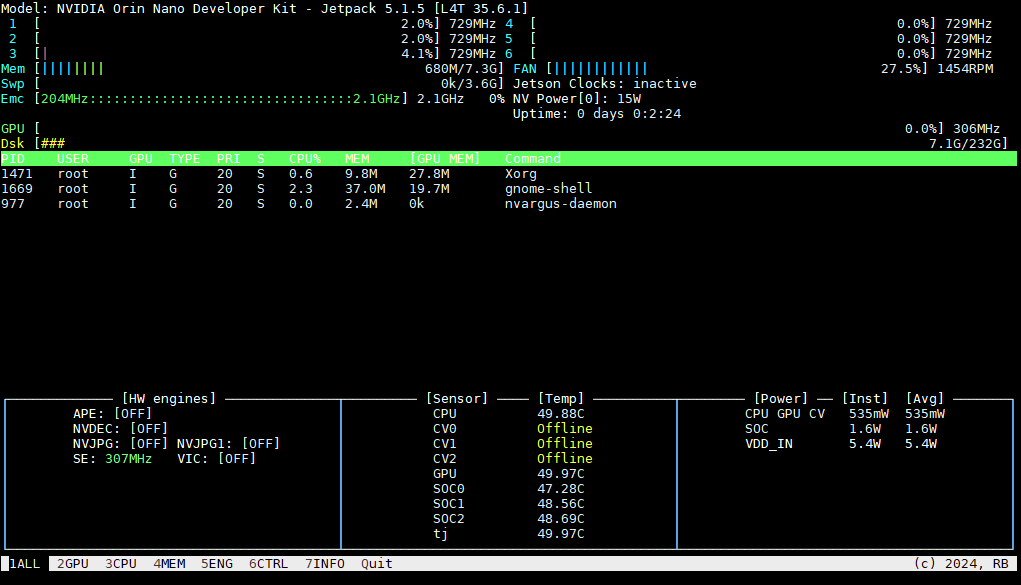
2.1 Monitor the working status of each module
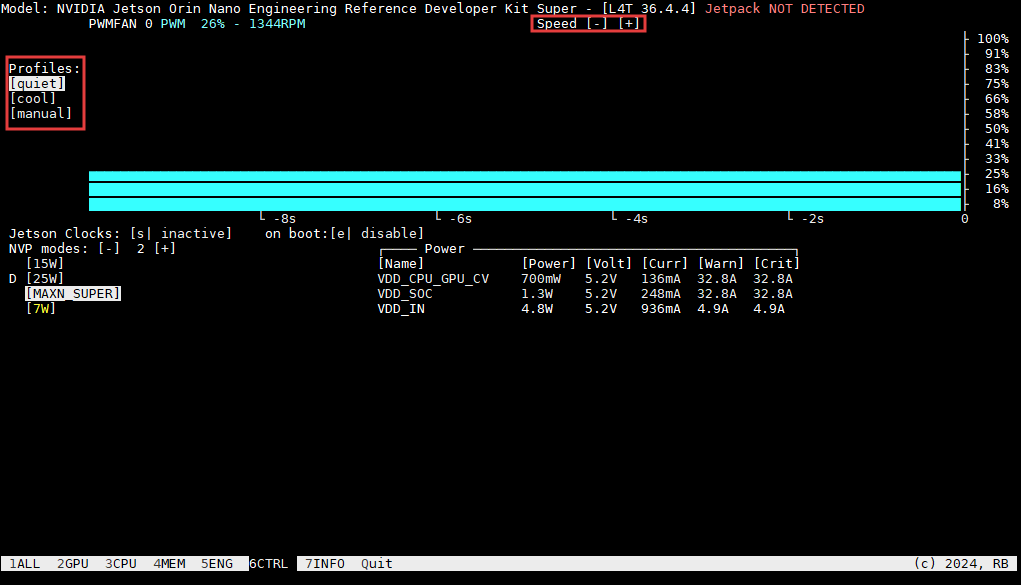
2.2 Control the fan
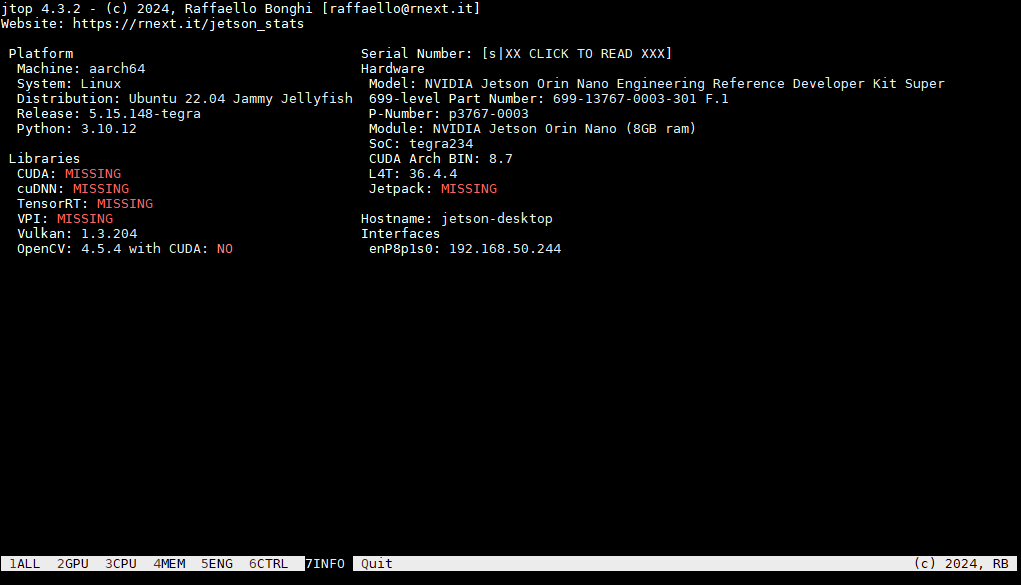
2.3 View built-in software information