
Jetson Orin NX Series Overview
1. Introduction
Jetson Orin NX is the mid-range product in the Jetson Orin series, available in 8GB and 16GB memory configurations, delivering up to 70 TOPS / 100 TOPS of AI performance, and up to 117 TOPS / 157 TOPS in SUPER mode. With rich interface resources and full compatibility with the NVIDIA software ecosystem, it is a powerful tool for AI robotics, AI large models, and computer vision development.
| Orin NX 8GB | Orin NX 16GB | |
|---|---|---|
| AI Performance (INT8) | 117 TOPS | 157 TOPS |
| GPU | 1024 CUDA cores, 32 Tensor Cores, GPU@1020MHz | 1024 CUDA cores, 32 Tensor Cores, GPU@1020MHz |
| CPU | 8x A78 @ 2GHz | 8x A78 @ 2GHz |
| Memory | LPDDR5 8GB | LPDDR5 16GB |
| Power | 10W | 15W | 25W | 40W | 10W | 15W | 25W | 40W |
2. Appearance
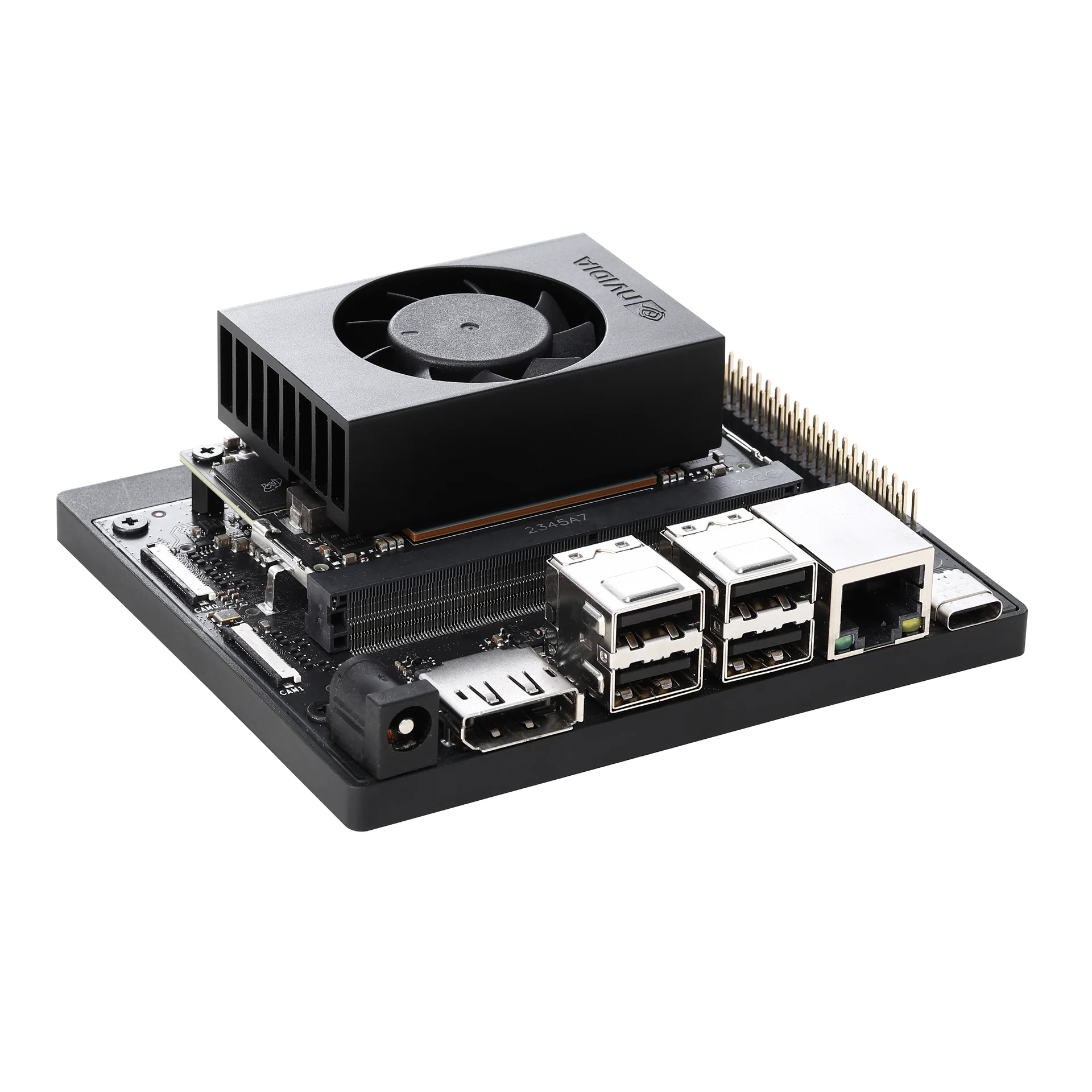
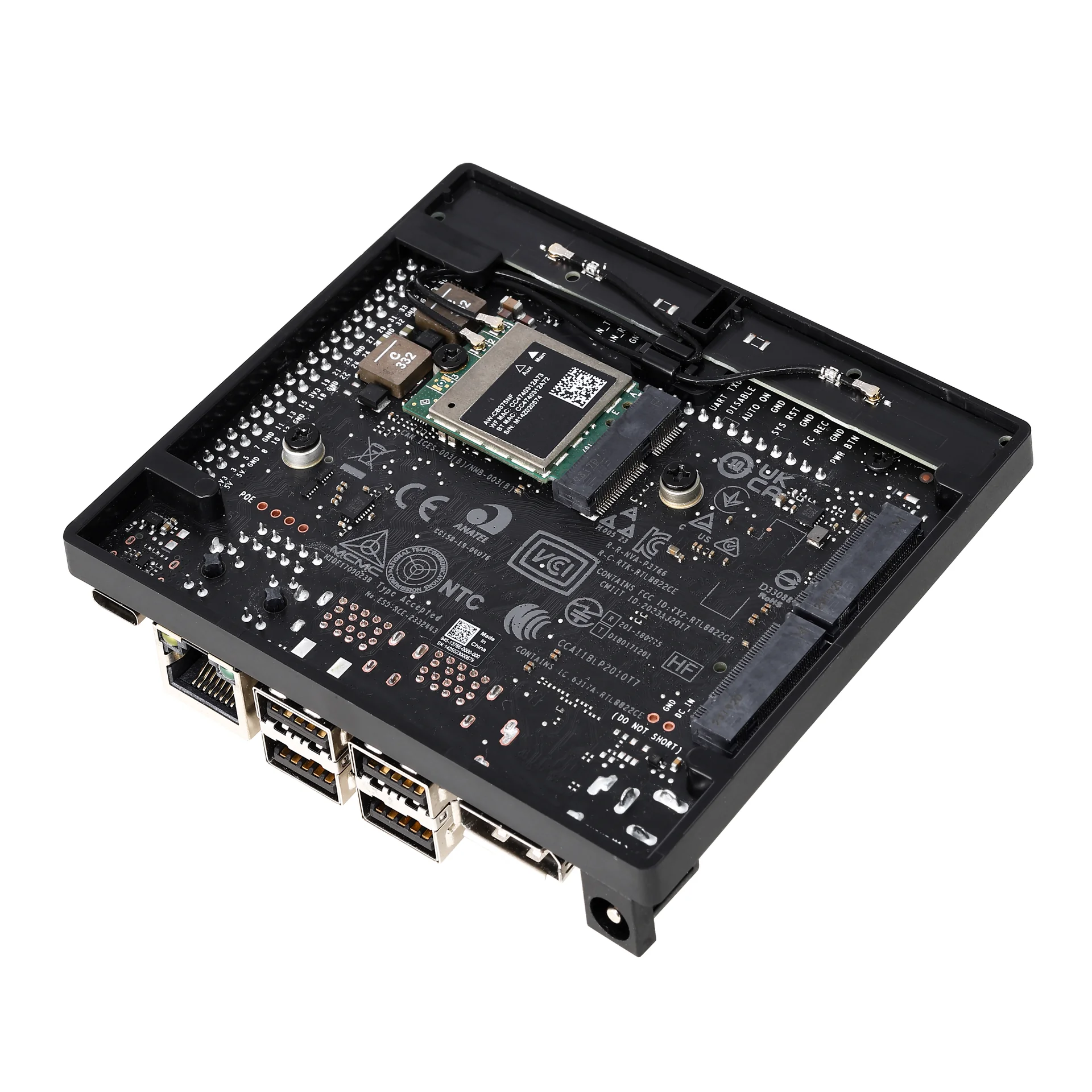
3. Interfaces
| Interface Type | Specifications |
|---|---|
| CSI Camera Interface | 2x MIPI CSI-2 22-pin camera connectors |
| PCIe Interface | M.2 Key M slot, supports x4 PCIe 3.0 M.2 Key M slot, supports x2 PCIe 3.0 M.2 Key E slot (pre-installed with network card) |
| USB Interface | 4x USB 3.2 Gen 2 (10Gbps) USB Type-C UFP |
| Network Interface | 1x Gigabit Ethernet (GbE) port |
| Display Output | 1x DisplayPort 1.2 (+MST) connector |
| Storage Interface | Supports external NVMe storage Supports SD card |
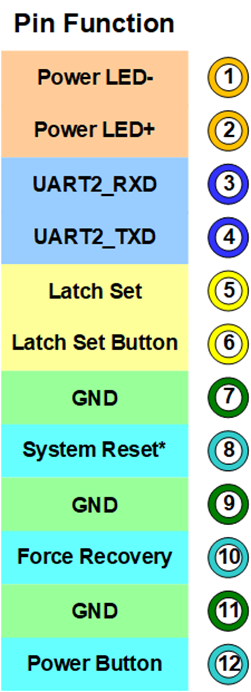
| Expansion Interface | 40-pin expansion header: 3x UART, 2x SPI, 2x I2S (audio), 4x I2C, 1x CAN, DMIC, DSPK, PWM, GPIO 12-pin debug interface 4-pin fan header DC power jack |
| Wireless Connectivity | Supports WLAN 802.11ac Supports Bluetooth 5.0 |
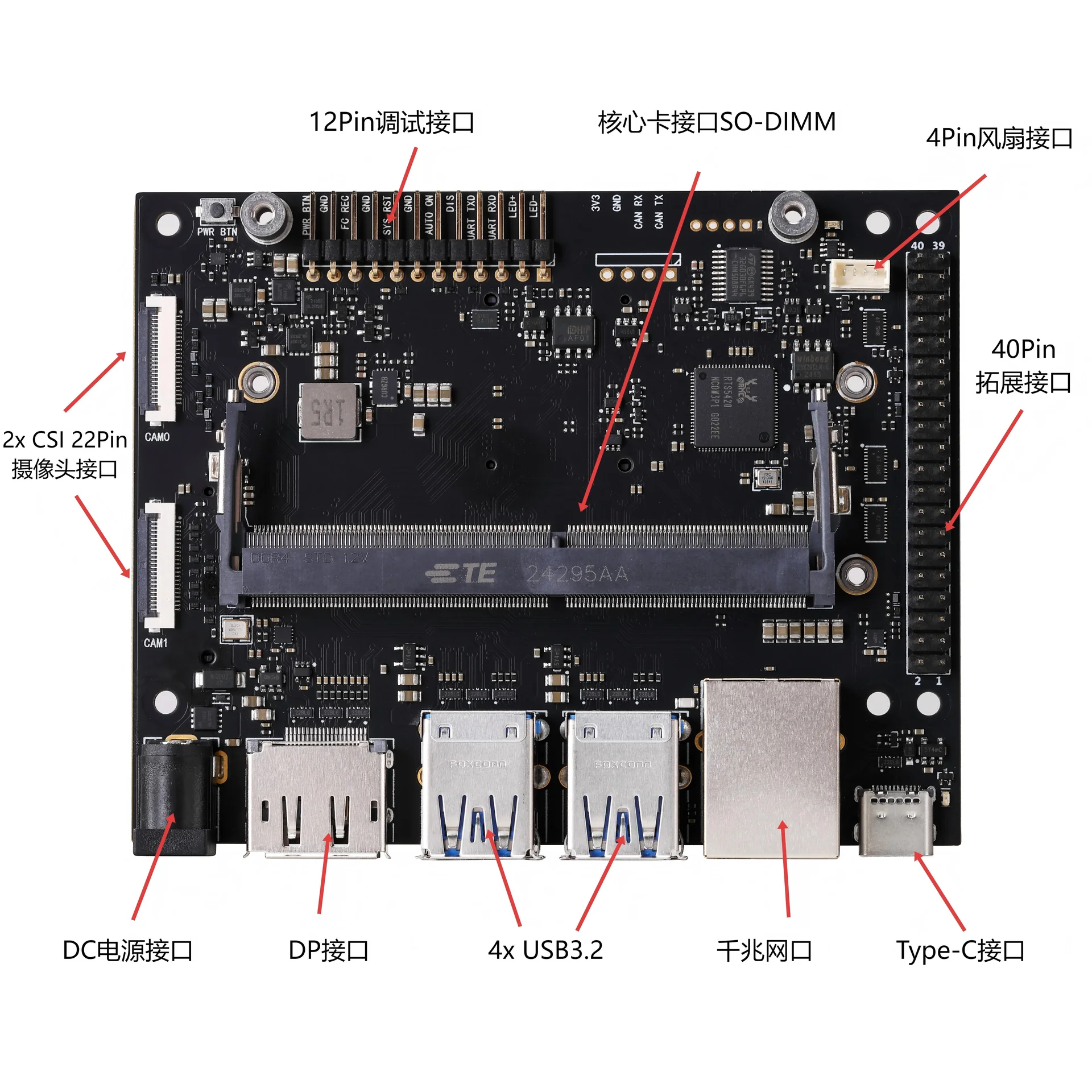
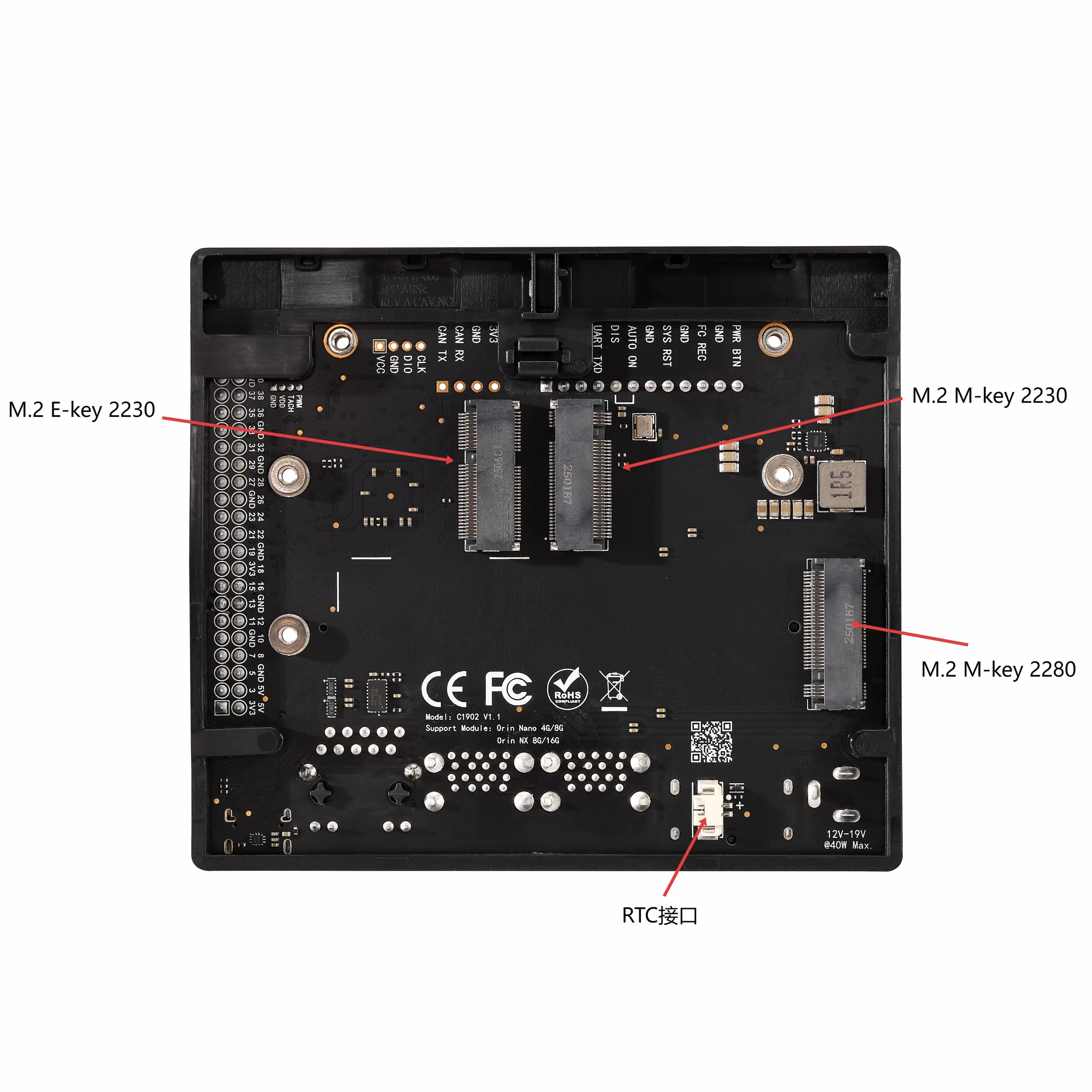
The 12-pin debug interface is defined as follows:
4. Precautions
Note
- The board accepts a power supply of 9~19V 5A MAX. Please use the official original power adapter to power the board to avoid damaging the carrier board and the core module.
- Please confirm the working condition of the core module's heatsink to prevent performance degradation caused by module overheating. Make sure the heatsink is securely mounted and free of obstructions; clean off dust regularly if necessary.
- Before powering on, make sure a storage medium such as a USB drive / SSD / eMMC / memory card is connected to the board.
Source: KYtech (LinkZee Labs)