Network Card Drivers
Wireless Network Card
Since JetPack 6, the official release has removed the built-in Intel 8265NGW driver. To use the better-performing Intel AX200 and AX210 network cards, we need to manually install the Intel network card driver package.
- Insert the network card, power on the board, and check the network card status
sudo lshw -C networkIf it shows product: Wi-Fi 6 AX200, the hardware has been detected. If you see the word UNCLAIMED, the driver is not installed.
- Install the iwlwifi driver
iwlwifi is an open-source driver developed by Intel for its wireless network cards, designed for Linux to support Intel's full range of wireless network adapters (such as Centrino, Wi-Fi 6/6E/7 chips) running efficiently in Linux environments.
sudo apt update
sudo apt install backport-iwlwifi-dkms- Reboot the board
sudo reboot- Check the network card status again
jetson@jetson-desktop:~$ sudo lshw -C network
[sudo] password for jetson:
  *-network
       description: Wireless interface
       product: Wi-Fi 6 AX200
       vendor: Intel Corporation
       physical id: 0
       bus info: pci@0001:01:00.0
       logical name: wlan0
       version: 1a
       serial: ac:12:03:a0:4c:db
       width: 64 bits
       clock: 33MHz
       capabilities: pm msi pciexpress msix bus_master cap_list ethernet physical wireless
       configuration: broadcast=yes driver=iwlwifi driverversion=5.10.216-tegra firmware=59.601f3a66.0 cc-a0-59.ucode latency=0 link=no multicast=yes wireless=IEEE 802.11
       resources: irq:55 memory:20a8000000-20a8003fff
  *-network
If the description field shows Wireless interface / Ethernet interface, the wireless network card is ready to use.
Wired Network Card
JetPack includes the RTL8111 driver. For RTL8125 (2.5G) or higher network cards, you need to download and install the official driver.
When using the official driver, the Ethernet port indicator lights may not work properly. If you need a modified driver, please contact customer support.
- Get the driver: click here to download
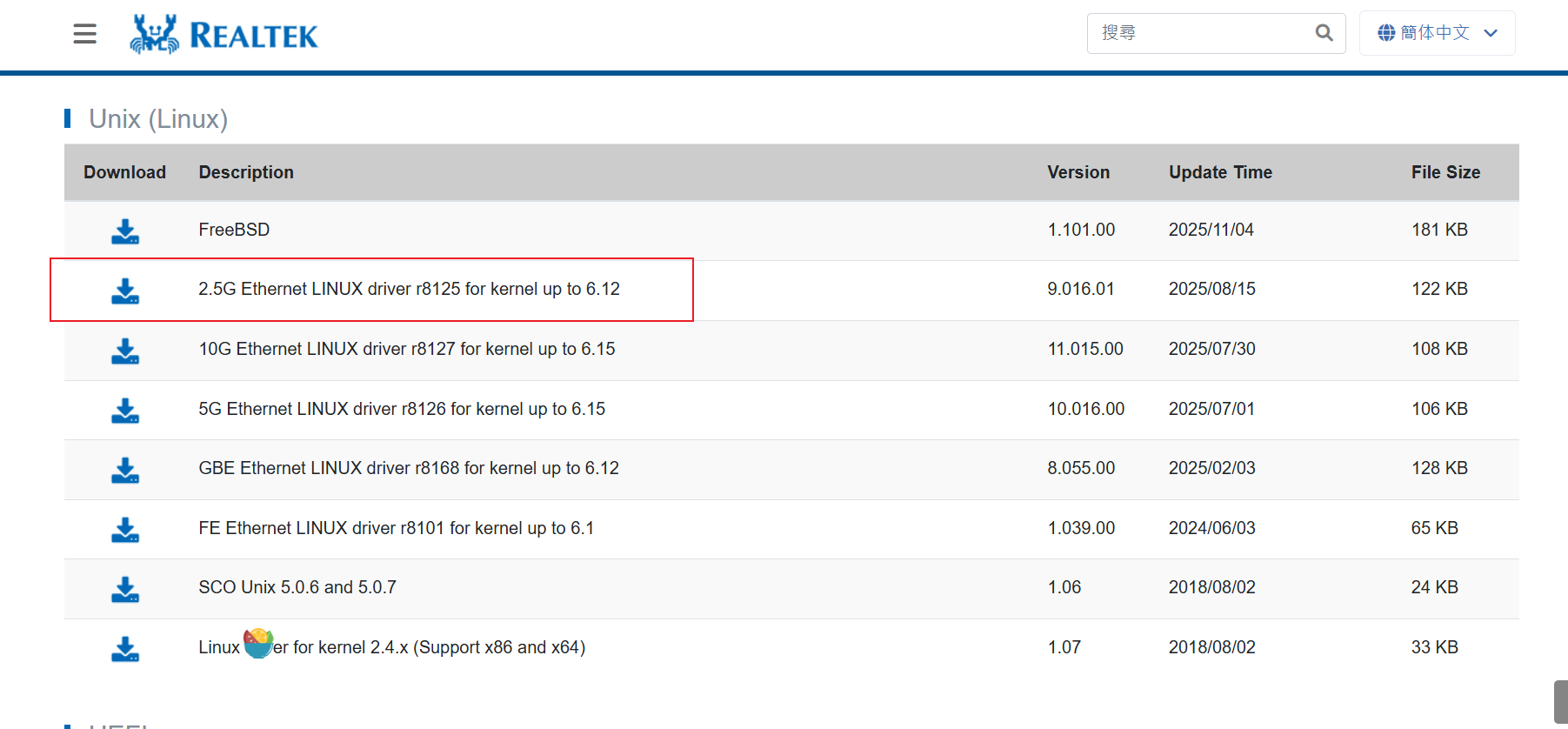
- Upload the driver to the board, extract it, and open the folder
cd r8125-9.016.01 # note the actual version number- Run the install script
sudo bash autorun.sh- After rebooting, run the command to check the network card status
jetson@jetson-desktop:~$ sudo lshw -C network
  *-network
       description: Ethernet interface
       product: RTL8125 2.5GbE Controller
       vendor: Realtek Semiconductor Co., Ltd.
       physical id: 0
       bus info: pci@0007:01:00.0
       logical name: eth1
       version: 05
       serial: 86:b1:ce:38:66:80
       size: 1Gbit/s
       capacity: 1Gbit/s
       width: 64 bits
       clock: 33MHz
       capabilities: pm msi pciexpress msix vpd bus_master cap_list ethernet physical tp 10bt 10bt-fd 100bt 100bt-fd 1000bt-fd autonegotiation
       configuration: autonegotiation=on broadcast=yes driver=r8125 driverversion=9.016.00-NAPI duplex=full ip=10.0.0.191 latency=0 link=yes multicast=yes port=twisted pair speed=1Gbit/s
       resources: irq:59 ioport:200000(size=256) memory:3228000000-322800ffff memory:3228010000-3228013fff
  *-network
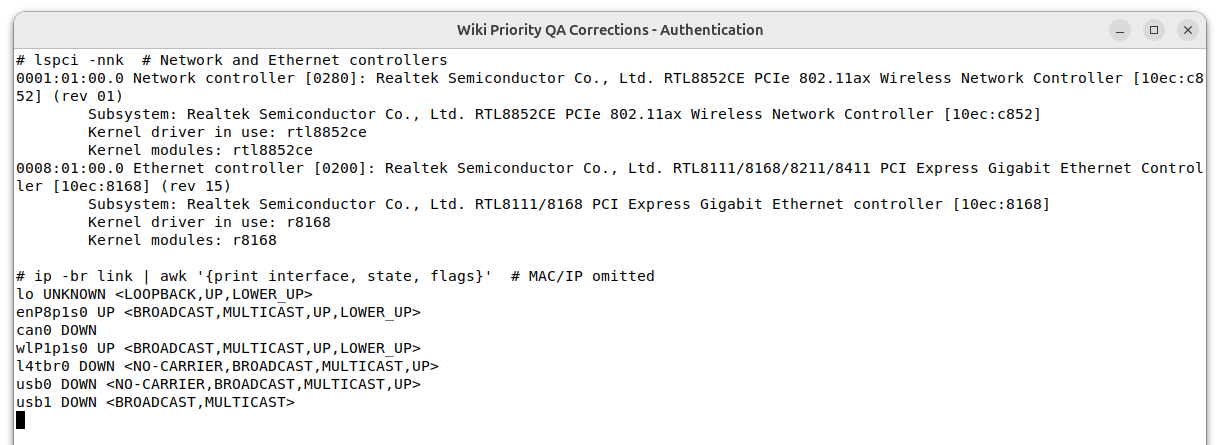
You can also combine lspci -nnk with ip -br link to verify the PCI ID, active kernel driver, and interface state. The following JetPack 7.2.1 example shows an RTL8852CE and an RTL8111/8168 controller: