网卡驱动
无线网卡
在 JetPack6 以后官方移除了自带的 Intel 8265NGW 驱动,同时为了能够使用性能更优的 Intel AX200 和 AX210 网卡我们需要自行手动安装 Intel 网卡驱动包。
- 插入网卡,通电开机,并查看网卡状态
shell
sudo lshw -C network若显示product: Wi-Fi 6 AX200,则硬件已经检测到,若看到UNCLAIMED字样则表明驱动未安装
- 安装 iwlwifi 驱动
iwlwifi 是英特尔(Intel)为其无线网卡开发的开源驱动程序,专为 Linux 操作系统设计,用于支持英特尔全系列无线网络适配器(如 Centrino、Wi-Fi 6/6E/7 等芯片)在 Linux 环境下的高效运行。
shell
sudo apt update
sudo apt install backport-iwlwifi-dkms- 重启开发板
shell
sudo reboot- 再次查看网卡状态
shell
jetson@jetson-desktop:~$ sudo lshw -C network
[sudo] password for jetson:
  *-network
       description: Wireless interface
       product: Wi-Fi 6 AX200
       vendor: Intel Corporation
       physical id: 0
       bus info: pci@0001:01:00.0
       logical name: wlan0
       version: 1a
       serial: ac:12:03:a0:4c:db
       width: 64 bits
       clock: 33MHz
       capabilities: pm msi pciexpress msix bus_master cap_list ethernet physical wireless
       configuration: broadcast=yes driver=iwlwifi driverversion=5.10.216-tegra firmware=59.601f3a66.0 cc-a0-59.ucode latency=0 link=no multicast=yes wireless=IEEE 802.11
       resources: irq:55 memory:20a8000000-20a8003fff
  *-network
description 字段显示为 Wireless interface / Ethernet interface 便可正常使用无线网卡
有线网卡
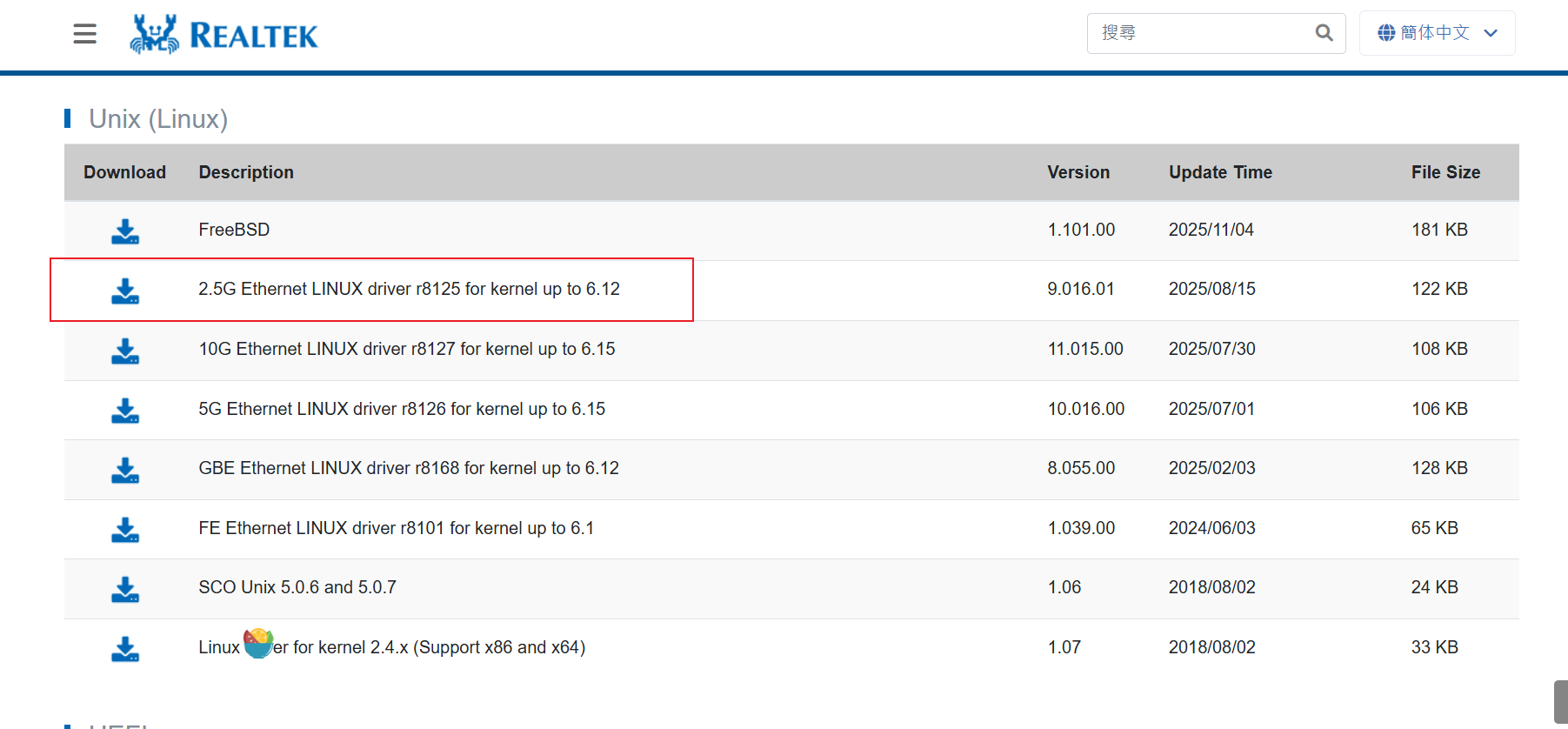
JetPack自带了RTL8111的驱动,对于RTL8125(2.5G)或以上网卡需要下载官方驱动安装。
使用官方驱动时,网口指示灯可能工作不正常,如果需要修改的驱动,请与客服联系。
1、获取驱动,点击此处转跳下载
2、将驱动上传到开发板并解压打开文件夹
shell
cd r8125-9.016.01 #注意实际版本号3、运行安装脚本
shell
sudo bash autorun.sh4、重启后运行命令查看网卡状态
shell
jetson@jetson-desktop:~$ sudo lshw -C network
  *-network
       description: Ethernet interface
       product: RTL8125 2.5GbE Controller
       vendor: Realtek Semiconductor Co., Ltd.
       physical id: 0
       bus info: pci@0007:01:00.0
       logical name: eth1
       version: 05
       serial: 86:b1:ce:38:66:80
       size: 1Gbit/s
       capacity: 1Gbit/s
       width: 64 bits
       clock: 33MHz
       capabilities: pm msi pciexpress msix vpd bus_master cap_list ethernet physical tp 10bt 10bt-fd 100bt 100bt-fd 1000bt-fd autonegotiation
       configuration: autonegotiation=on broadcast=yes driver=r8125 driverversion=9.016.00-NAPI duplex=full ip=10.0.0.191 latency=0 link=yes multicast=yes port=twisted pair speed=1Gbit/s
       resources: irq:59 ioport:200000(size=256) memory:3228000000-322800ffff memory:3228010000-3228013fff
  *-network
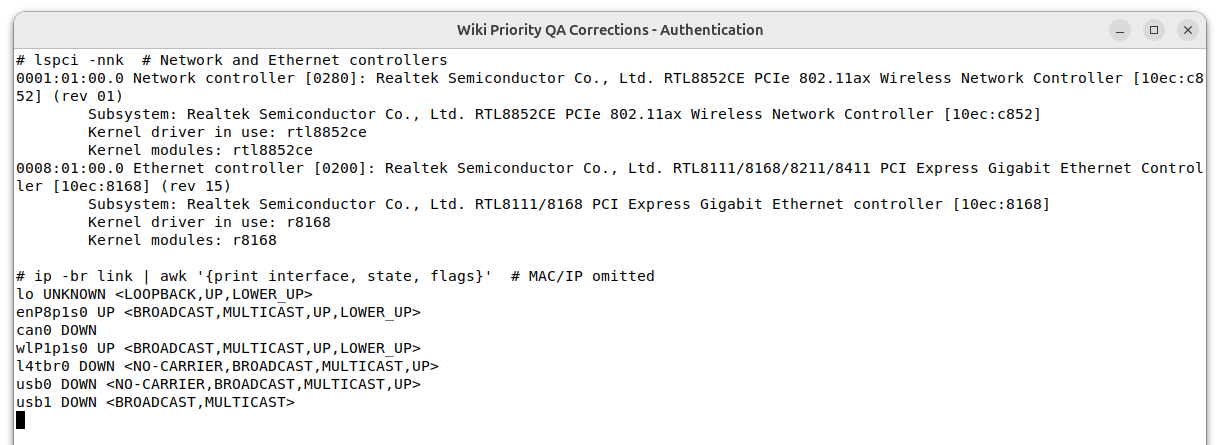
也可以组合使用 lspci -nnk 和 ip -br link,同时确认 PCI ID、实际加载的内核驱动和接口状态。下面是 JetPack 7.2.1 上 RTL8852CE 与 RTL8111/8168 的实机示例: